

Have you ever needed a list of every dentist in Texas, every fishing charter in Florida, or every independent coffee shop in California? Apollo doesn’t have them. ZoomInfo doesn’t either. Google Maps does.
I run cold email campaigns for founders selling to local businesses, and Google Maps is consistently the highest-volume lead source for that ICP. This article walks through the pipeline, the qualification step, and the infrastructure to send at scale without burning a domain.
Why Google Maps is the underrated cold email lead source
Three reasons I keep coming back to Google Maps for local-business cold email:
- Coverage. Every business with a physical location is on Google Maps. The major databases miss most of them.
- Categorization. Every business is tagged by type (restaurant, dentist, plumber, retail). Filtering is precise.
- Structured data. Name, address, phone, category, hours, website, sometimes email. Cleaner than scraping random websites.
Compare to Apollo: Apollo’s local-business coverage is thin because the platform was built for B2B tech sales, not for local. For local ICPs, the gap is structural.
The buyer this works for
Google Maps scraping fits one specific buyer type. When a founder asks me whether their ICP belongs on Maps, I check for this pattern: anyone selling B2B services or products to local businesses.
Examples:
- Marketing agencies selling to dentists, restaurants, or law firms
- SaaS tools for specific local industries (POS for restaurants, scheduling for salons, CRM for clinics)
- Suppliers selling to retail or hospitality
- Franchise-side sales to chain operators
If your buyer is a tech company or a remote-first business, Google Maps isn’t your lead source. Use Apollo or scrape something else.
The pipeline at a glance
The pipeline I run, end to end:
- Define the query. Business type plus location plus sub-category.
- Scrape. Pull raw business data via a tool or API.
- Enrich. Find decision-maker emails (most Maps records don’t have them).
- Qualify. Filter wrong-fit leads via AI.
- Verify. Run remaining emails through a verifier.
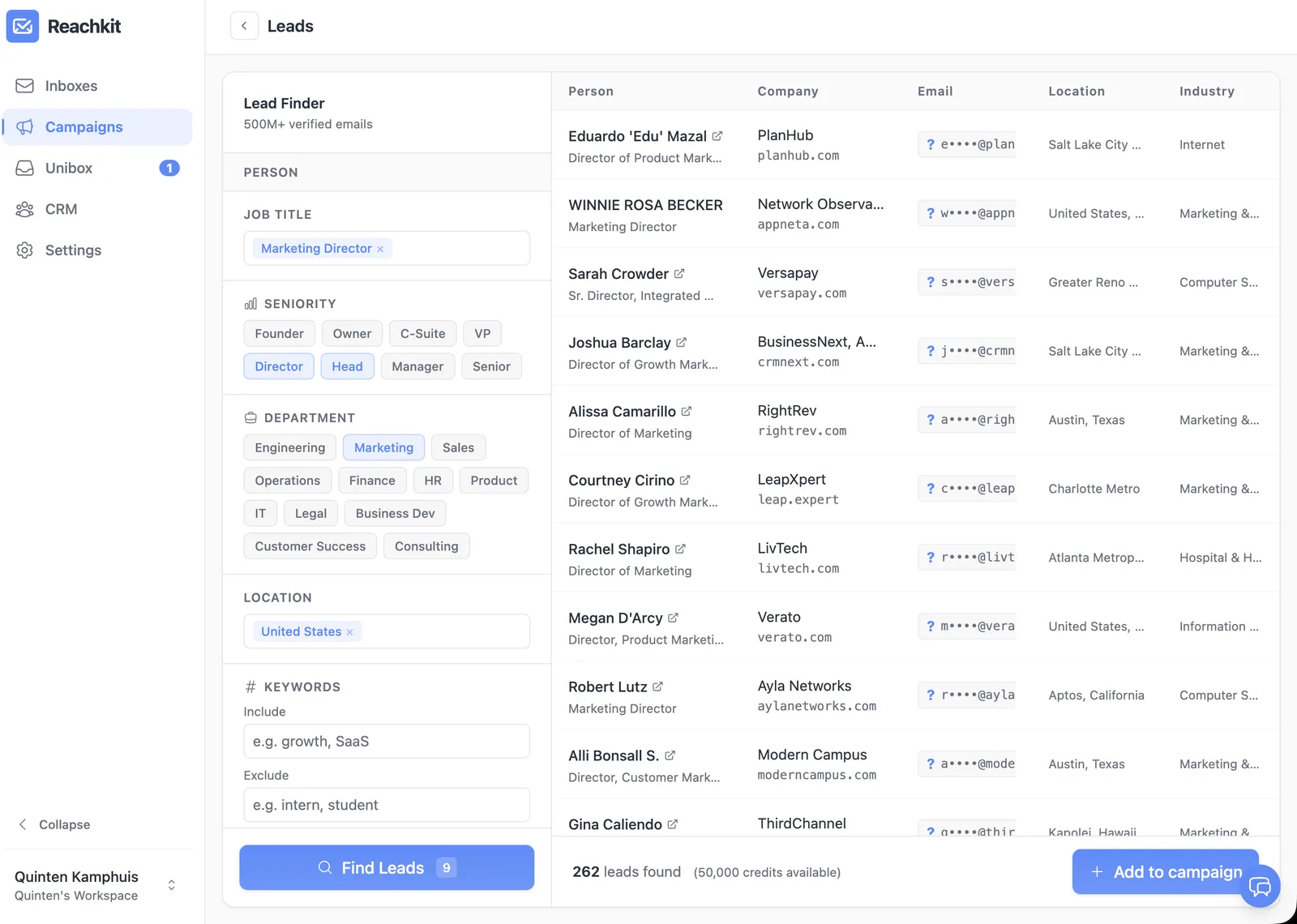
- Load. Push qualified, verified leads to the sending platform.
Each step has a tool and a typical cost. The next sections walk each.
Step 1: Define the query precisely
The biggest mistake I see in Google Maps scraping is too-broad queries.
- Too broad: “businesses in Texas” pulls hundreds of thousands of leads, mostly wrong-fit
- Too narrow: “single-location independent organic vegan restaurants in Austin” pulls 12 leads, not enough for a real campaign
- Right: “dentists in Houston” pulls 2,000 to 5,000 leads with a clear category and city
Layer category filters (independent vs chain), size filters (multi-location indicator), and geographic precision (city, county, ZIP). The query is the upstream filter that makes the rest of the pipeline work.
Step 2: Scraping tools
The three tools I’ve actually used for Google Maps scraping:
- Outscraper: pay-as-you-go from about $3 per 1,000 results. Free tier available.
- Apify: Compass Google Maps scraper, $29 per month Starter tier covers modest volume.
- Custom Serper queries: Serper.dev’s Places API, $1 per 1,000 queries at the entry tier, dropping to about $0.30 per 1,000 at the highest volume tier. Best for custom pipelines.
What you get from each: business name, address, phone, category, hours, website, ratings, sometimes email (less reliably).
For most founders I work with, Outscraper or Apify is the lower-lift starting point. I’d only push someone to custom Serper once they’ve built a pipeline they’ll reuse across campaigns.
Step 3: Enrichment to find emails
Most Google Maps records don’t have an email. You have a business name and a website. You need to find the owner’s email.
The enrichment options:
- Hunter or Snov for domain-to-email: about $0.05 to $0.20 per found email
- Apollo’s API: included with paid Apollo plan, finds emails at a domain
- Custom enrichment with first-name guess plus pattern logic: lowest cost per lead but requires custom pipeline
The trick I push founders on: you usually want the owner or general manager, not generic info@ addresses. Match by title where the finder supports it.
Step 4: The AI qualification step
Even with category-filtered Maps results, the list has noise. Chains, franchises, wrong-stage businesses, single-location businesses too small to buy your service.
The qualification step:
- For each lead, pass business name, category, website description, and any other available data to an AI model
-
Ask: “Is this business a fit for my ICP? Return JSON
{qualified: bool, reason: string}.” - Filter to qualified leads only
Expected drop rate: 20% to 50% for category-filtered Maps lists, depending on how broad the initial query was. Lower than engagement scraping because the category filter is already upstream. See lead scraping for cold email for the qualification prompt pattern.
Step 5: Verification before sending
Email verification is the cheapest insurance in cold email.
- Bouncer: about $8 per 1,000 verifications at entry tier; NeverBounce comparable
- Cuts bounce rate from 5% to 10% (raw scraped lists) to under 1% (post-verification)
- Saves domain reputation: high bounce rates trigger Gmail and Outlook spam filters fast
Skipping verification on scraped lists is the fastest way to burn your domains. I’ve seen it happen and the recovery is painful. Budget for it.
Step 6: The infrastructure to send at scale
Once you have verified qualified leads, the sending side matters.
For a campaign of 10,000+ leads:
- 10+ secondary domains: $100 to $300 per year, paid once annually at typical registrar pricing
- 30+ inboxes (3 per domain): $180 to $300 per month at Google Workspace Business Starter
- Sending platform with warmup, with reasonable per-inbox caps: $97 to $200 per month
- Total monthly: about $280 to $500 per month (inboxes + platform), plus the one-time $100 to $300 annual domain bill
This is the same infrastructure I run for any large cold email setup. See cold email infrastructure for the full setup.
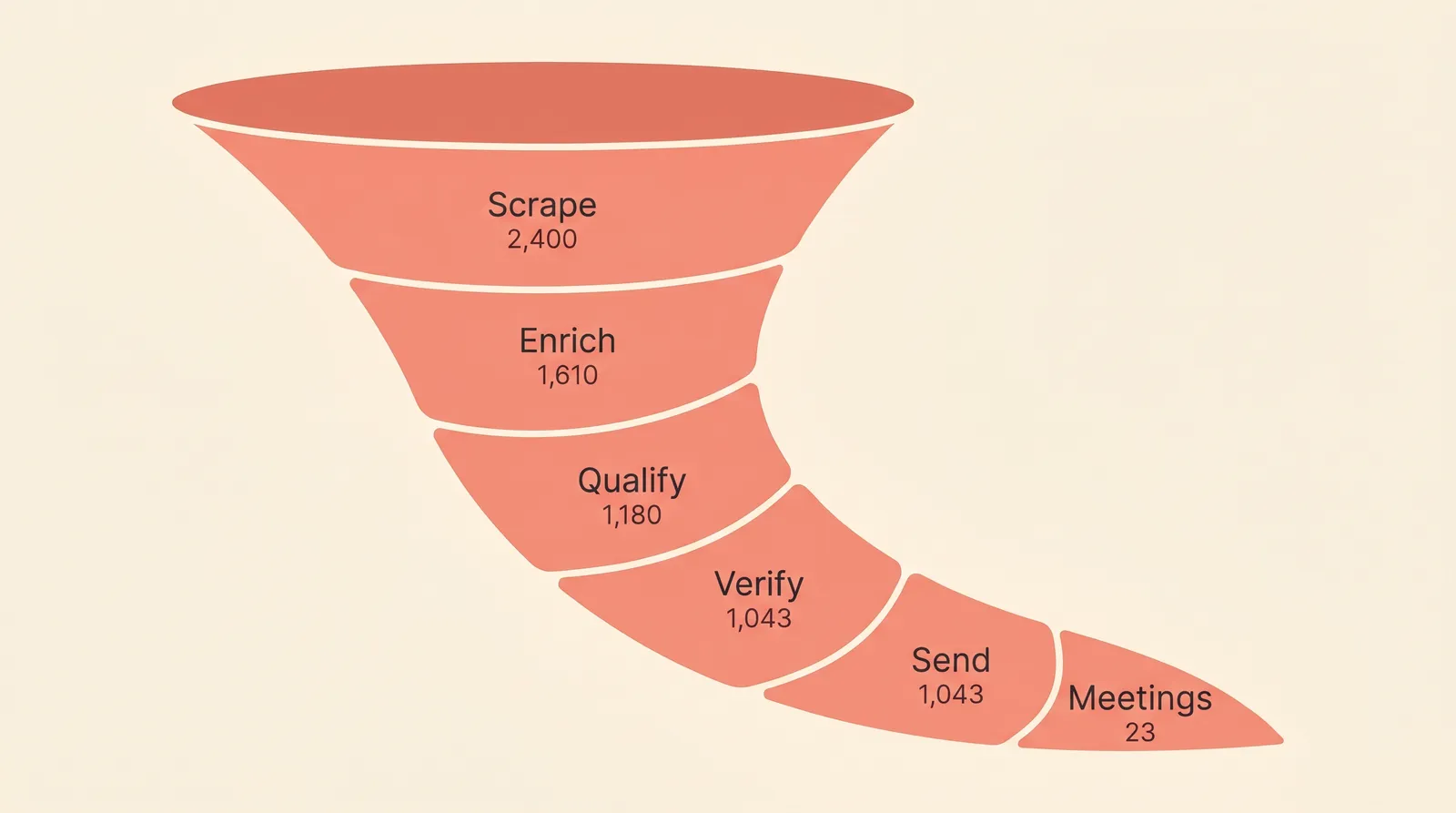
Realistic numbers from a Google Maps campaign
A typical large Google Maps campaign I run breaks down something like this:
- Raw scrape: 50,000 to 80,000 leads from Google Maps in a single major-city multi-category pull
- After AI qualification (filtering chains, franchises, wrong fit): about 45% drop, leaving 30,000 to 45,000 qualified leads
- After email verification: another 15% drop, leaving 25,000 to 38,000 sendable leads
- Sent across 30+ inboxes over 8 weeks
- Outcome: 2% to 3% reply rate, 8% to 10% positive of replies translated to meetings, totalling 40 to 100 meetings depending on ICP fit
The full pipeline takes about 12 hours to build the first time and runs in under 1 hour per new query after that.
What can go wrong
Five failures I’ve seen across the Google Maps campaigns I’ve run or audited:
- Sending too fast. Burns the domain. 30 to 50 sends per inbox per day is the safe ceiling after warmup.
- No AI qualification. High bounce rate plus low reply rate plus burned domains. The fastest way to waste the scrape.
- Too-narrow query. Not enough volume to test reply rate properly.
- Too-broad query. Too many wrong-fit replies clogging your inbox.
- Skipping verification. 5% to 10% bounce rate triggers spam filters; the whole campaign goes to junk.
Each failure is recoverable on the next batch, but the domain damage from sending too fast or skipping verification can persist for months.
When Google Maps scraping is overkill
Three cases where I tell founders to skip this pipeline entirely:
- Tech-vertical buyer (SaaS, B2B services to remote companies). Apollo or ZoomInfo covers you better.
- High-LTV consulting at $50,000+ engagements. Narrow lists of 100 to 200 hand-picked prospects beat 10,000 scraped ones for high-ticket sales.
- Product-led SaaS with self-serve onboarding. Cold email isn’t your channel; use ads or content.
For everyone else selling to local-business buyers, Google Maps scraping is the highest-volume lead source available. For the broader decision on when scraping beats buying, see lead scraping for cold email.
FAQ
What’s the best tool for scraping Google Maps? Outscraper for pay-as-you-go, Apify for monthly subscription, custom Serper Places API for reusable pipelines. All three handle the same core data; pick on pricing model and integration fit.
Can you find email addresses from Google Maps data? Sometimes directly (Maps occasionally lists business emails), more often via enrichment from the business website using Hunter, Snov, or Apollo. Plan to enrich most leads; only a fraction of Maps records have usable emails.
How many leads is too many from Google Maps? 50,000 to 80,000 is realistic for a major-city multi-category campaign. Above that, the sending infrastructure cost scales linearly. Most founders should start with 5,000 to 20,000 leads, test reply rate, then scale.
Google Maps scraping vs Apollo for cold email? Apollo for tech-vertical and B2B-to-B2B-tech buyers. Google Maps for any buyer selling to local businesses. Categories don’t overlap much; pick based on your ICP, not on price.
Can I scrape Google Maps without burning my domain? Yes, with the right infrastructure (10+ domains, 30+ warmed inboxes) and verification before sending. Without verification on a scraped list, bounce rates above 5% are normal, and that’s enough to trigger spam filters within days.
Bringing it home
Google Maps is the highest-volume lead source for local-B2B cold email. The pipeline is six steps: query, scrape, enrich, qualify, verify, send.
The realistic math at scale: 50,000+ raw leads to 25,000+ sendable to 40 to 100 meetings booked over 8 weeks. The qualification step is the difference between worthwhile and waste.
The infrastructure is the same as any cold email setup, scaled to volume: 10+ domains, 30+ inboxes, verifier, sending platform with warmup.
Build your pipeline this week, or try Reachkit free to see what the sending side looks like at Maps-scraping volume.